


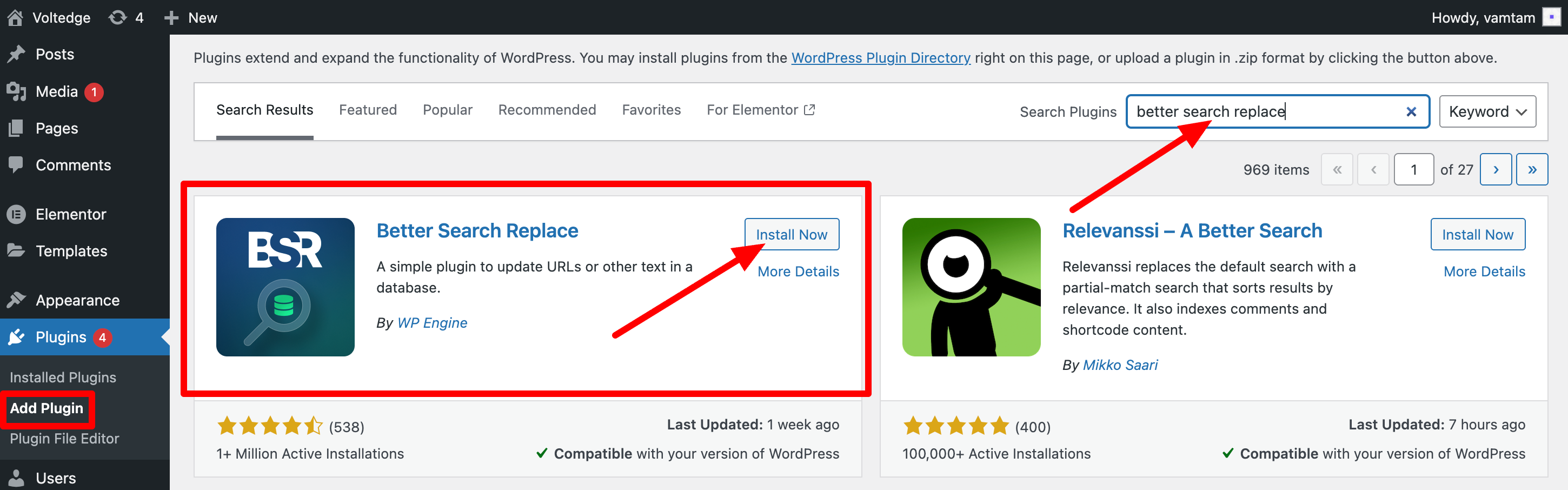
If you are getting a "mixed content" warning (you have some http:// URLs in the database), please make sure to update all URLs in the database, either using wp-cli or this plugin https://wordpress.org/plugins/better-search-replace/
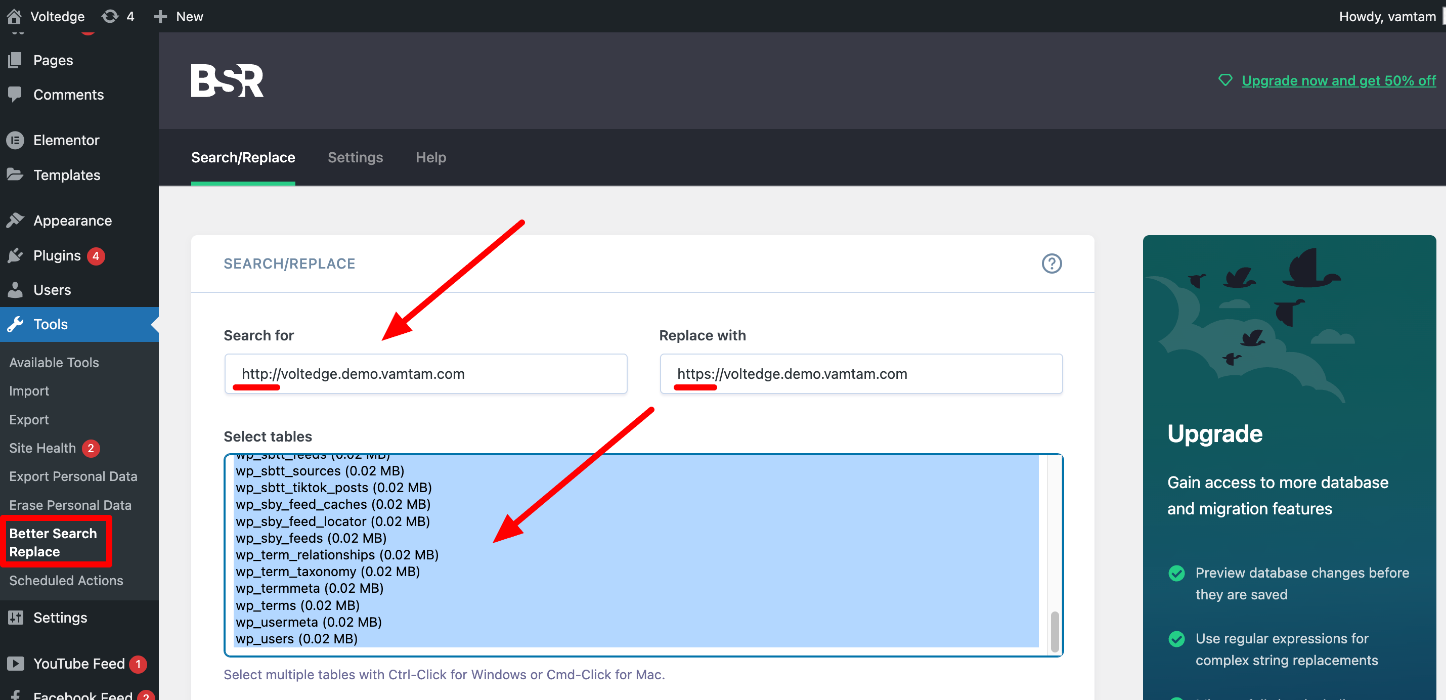
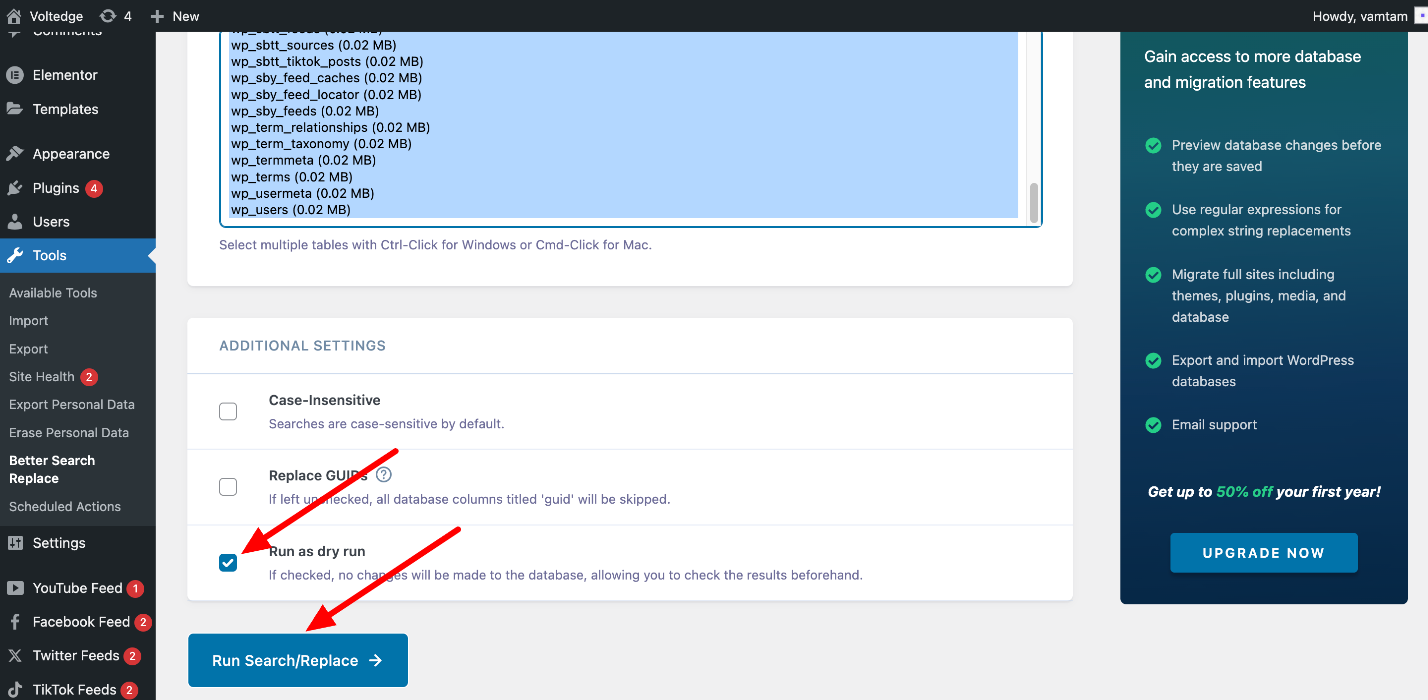
Uncheck this option, so the plugin could make the necessary changes. Click the "Run Search/Replace" button:
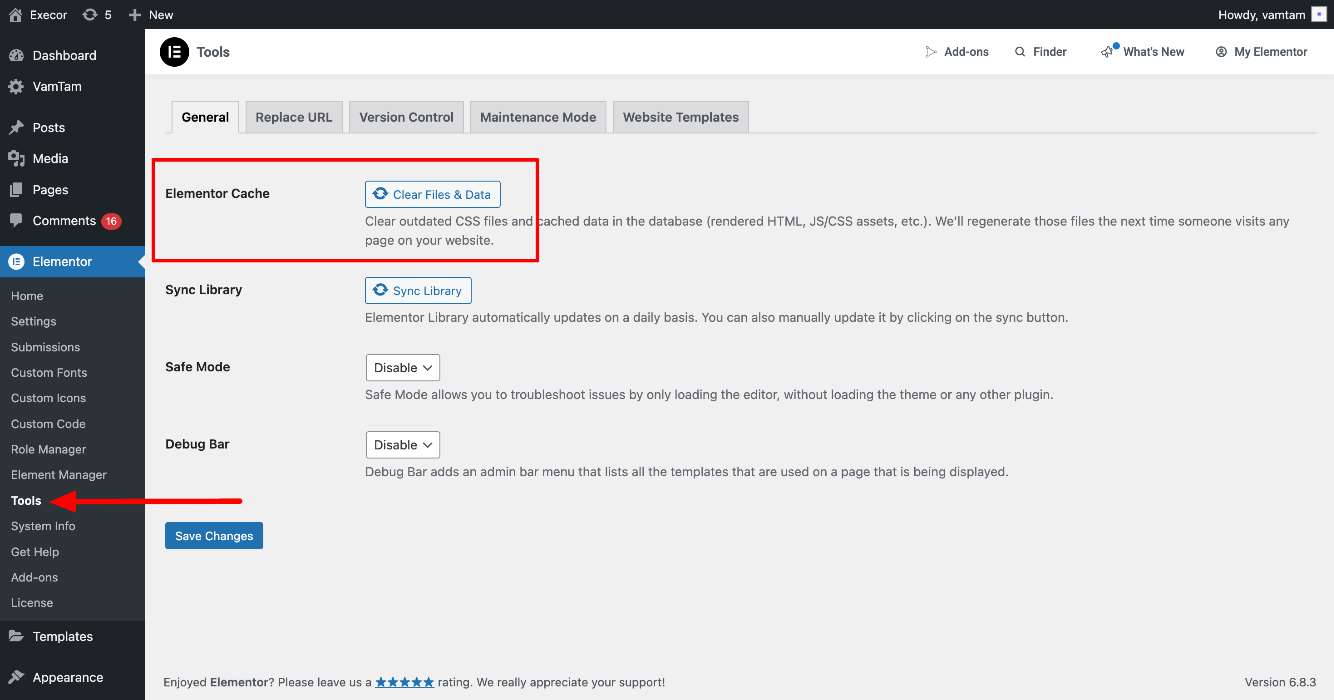
Then, go to Elementor > Tools > General and click the "Elementor Cache" button:
You can also check this article How to fix mixed content in Elementor after moving to SSL