Special Offer: Updates and Support for Envato Elements Clients
Where to get the purchase code or Envato license code?
1. Envato Elements Clients
Please note that Envato Elements subscriptions do not include theme support or automatic updates.
If you downloaded the theme from Envato Elements, you’ll need to register your Envato license code to use it (learn more here).
Read the full instructions for how to access the Envato license certificate here: https://help.elements.envato.com/hc/en-us/articles/360000621443-Envato-item-license-certificate
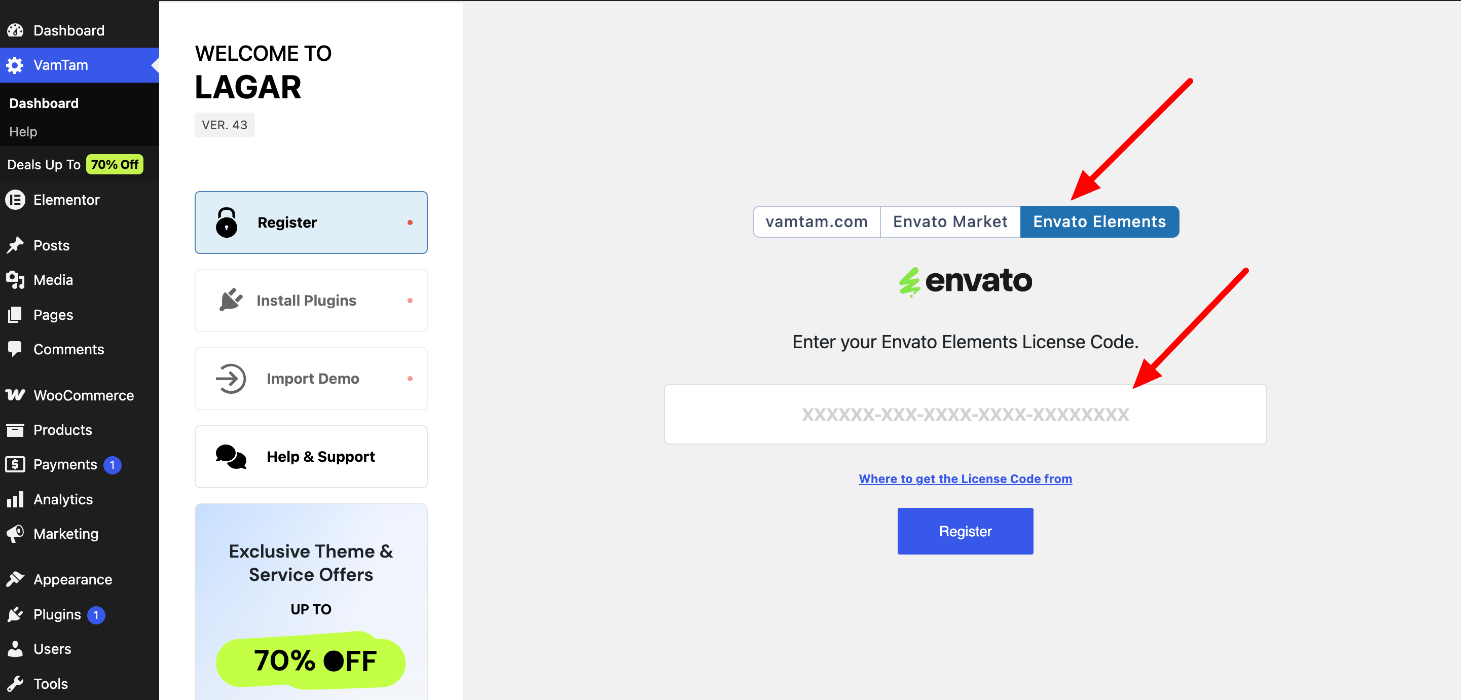
Enter the Envato license code and click "Register".
Now, you can install the plugins and import the demo content. Check the installation guide here
2. VamTam.com Clients
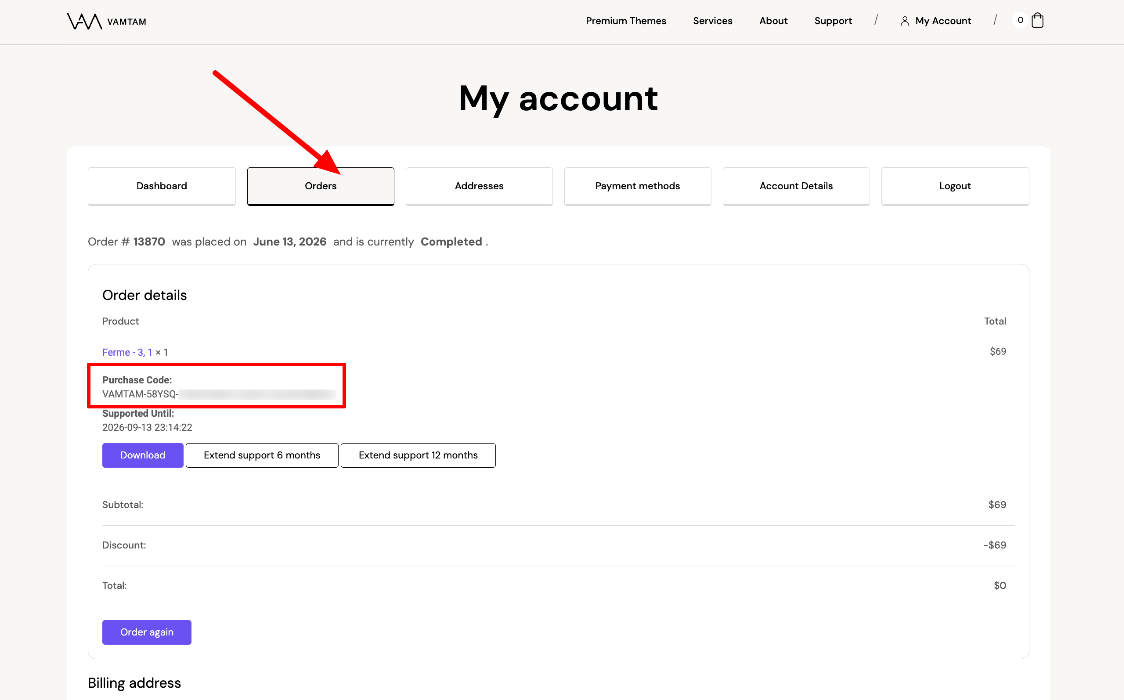
- Log in to your VamTam account https://vamtam.com/my-account/
- Go to Orders > View
- Find the Purchase code in the order details
3. Envato Market (ThemeForest) Clients
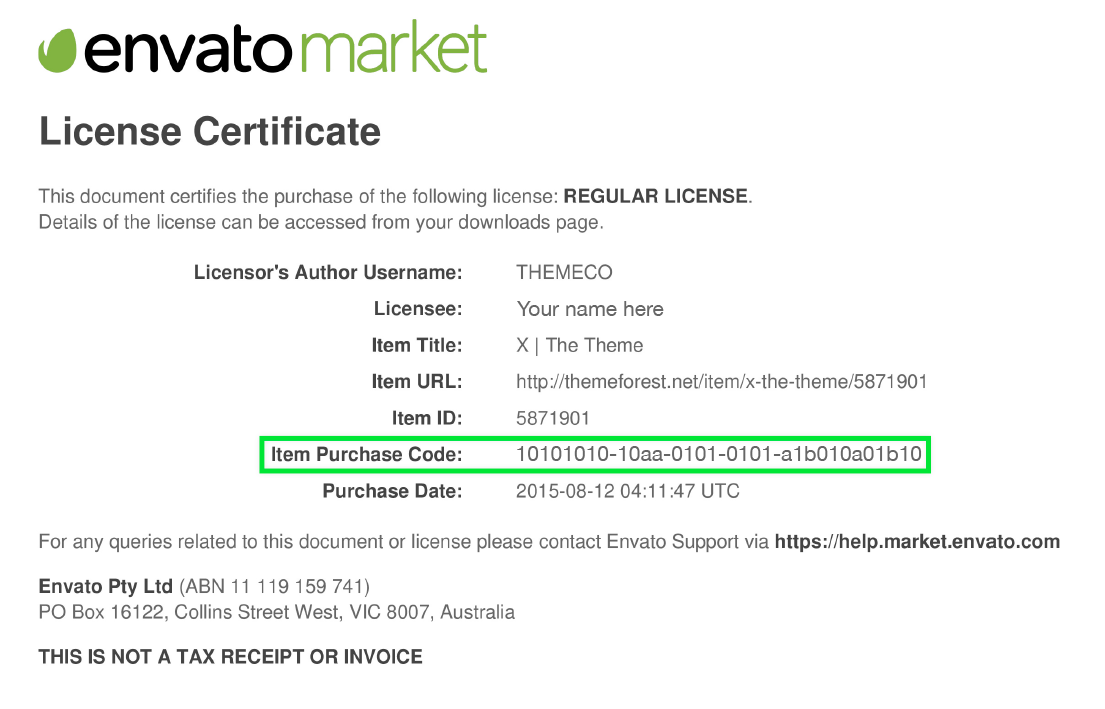
- Log into your Envato Market account.
- Hover the mouse over your username at the top of the screen.
- Click 'Downloads' from the drop-down menu.
- Click 'License certificate & purchase code' (available as PDF or text file).
- If a plugin is asking for the purchase code, but the plugin came bundled with a theme, please refer to this article for more information.
How to register the theme
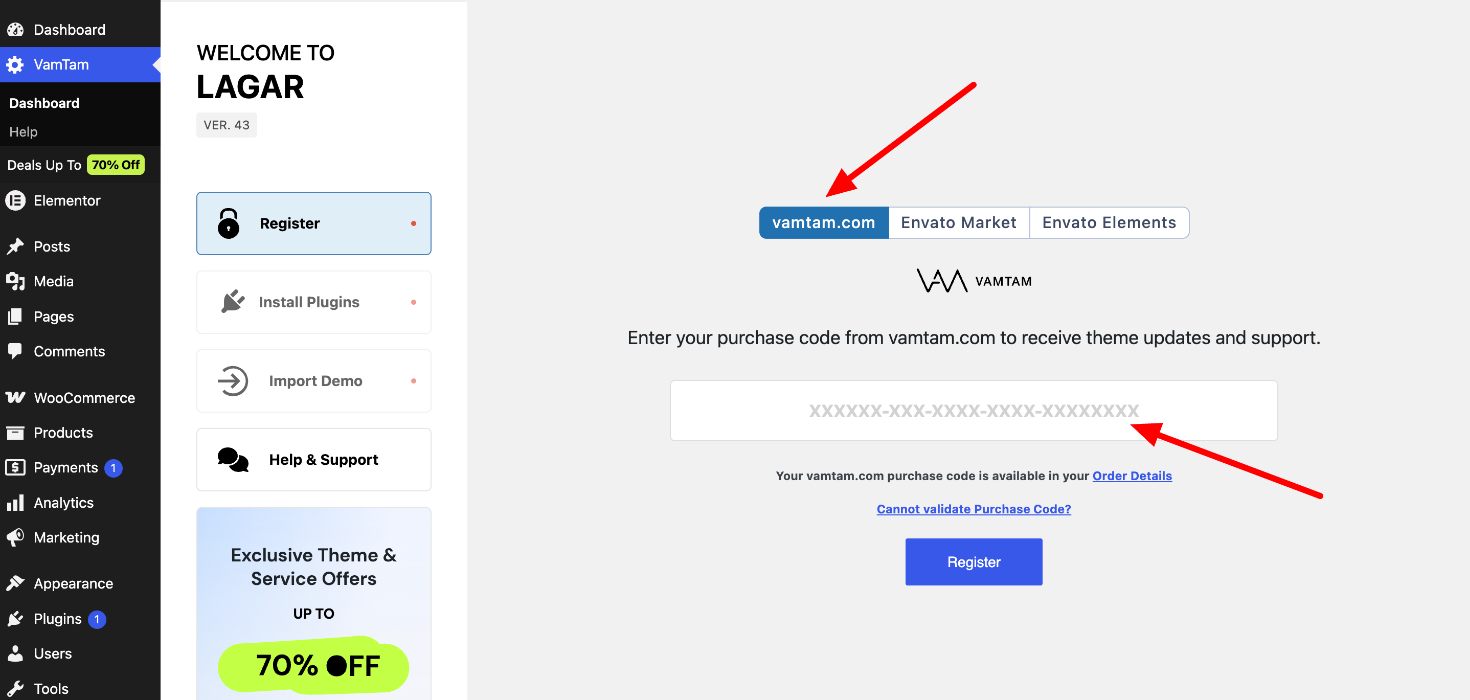
1. VamTam.com Clients
Fill in the purchase code from VamTam.com > Order Details and click "Register".
Please check these articles if you don't know where to get Your Item Purchase Code
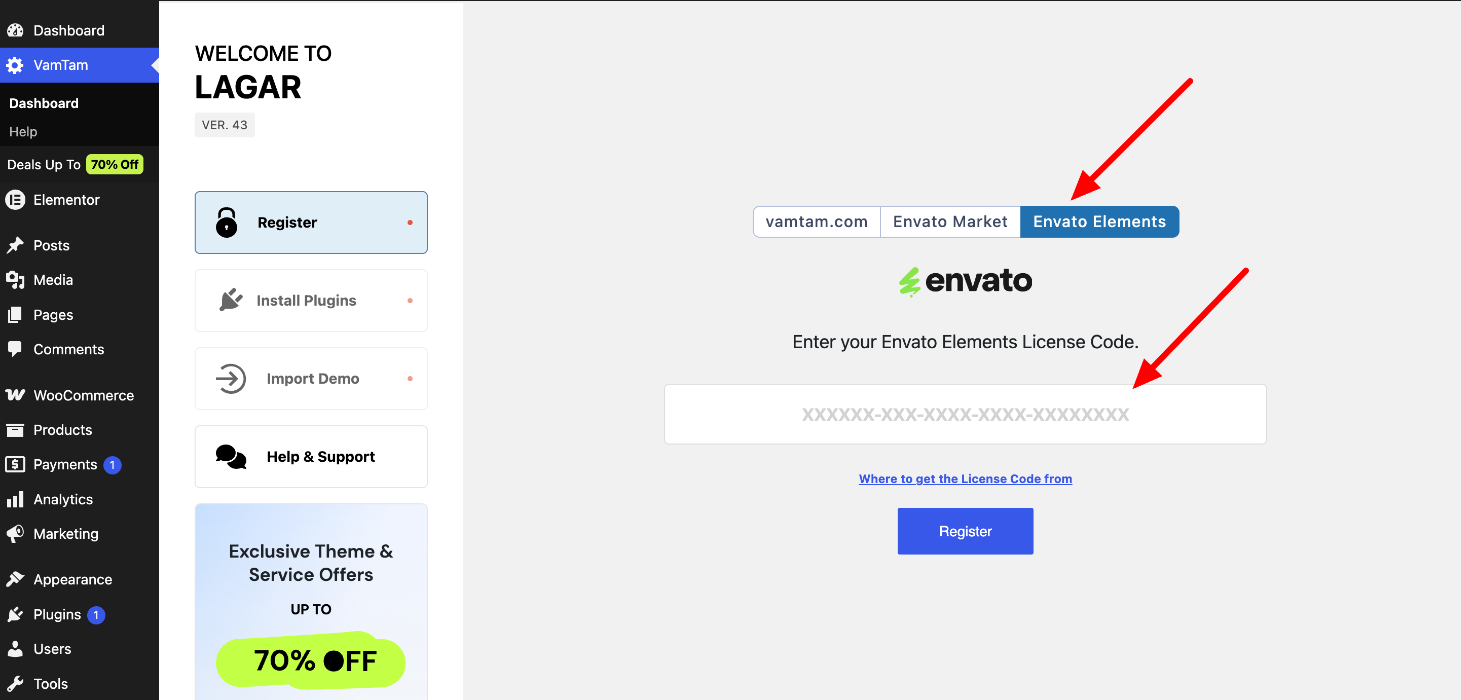
2. Envato Elements Clients
Open the Envato Elements tab, enter your Elements License code, and click "Register".
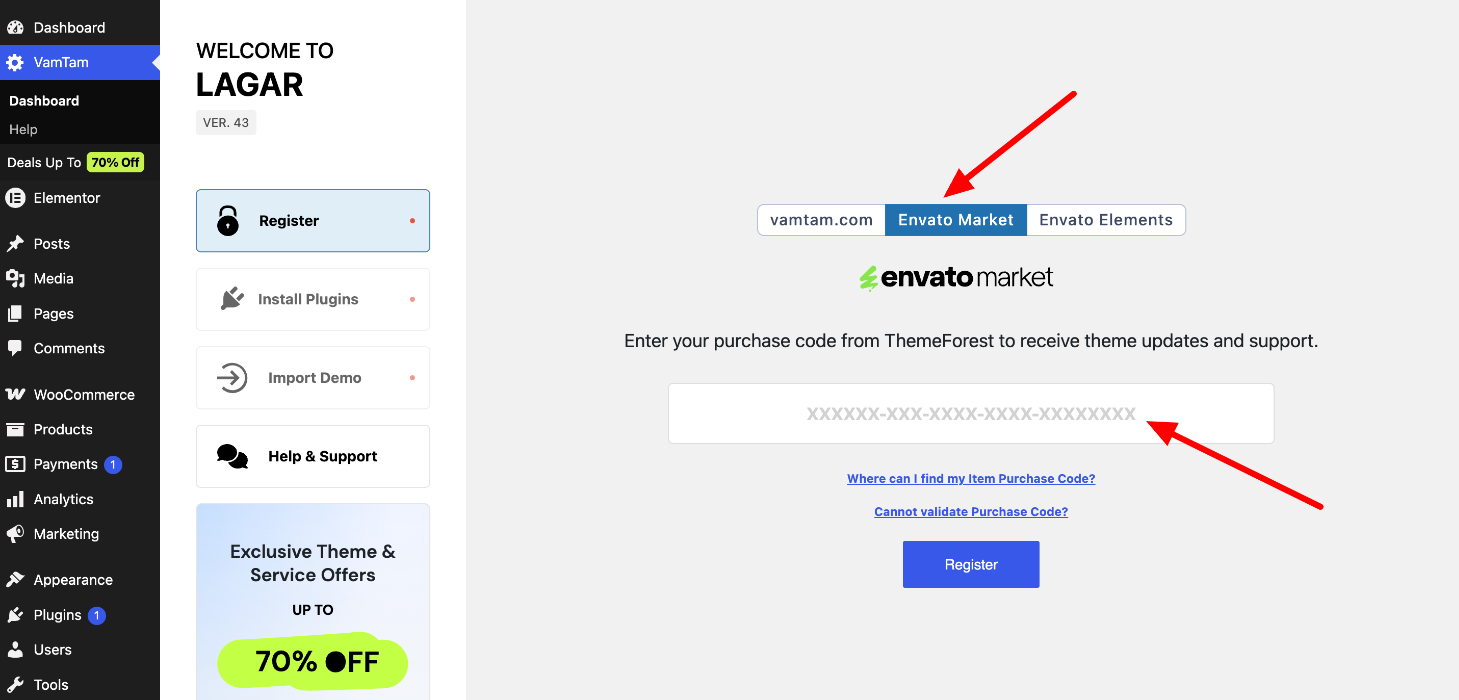
3. Envato Market Clients
Fill in the purchase code from ThemeForest and click "Register".
Please check these articles if you don't know where to get Your Item Purchase Code